SignageFlow Changelog
Welcome to the SignageFlow changelog — here’s a running log of the biggest product updates and improvements we’ve made since launch. We’ll keep this page updated so you always know what’s new.
Please note: changelog has not move to https://help.signageflow.com/changelog
February 2026 – Apps Marketplace, Advanced Scheduling & Android Player Launch 🚀
This is one of our biggest updates yet. SignageFlow is no longer just playlists and screens. We are now officially live with Apps.
🎉 Apps Are Now Live
You can now create and run dynamic apps directly inside your playlists.
Here’s a quick one-word summary for each app:
RSS – News
Add RSS feeds to your screens. By default, we’ve included Guardian World News, and you can also add custom RSS feeds from any source.- Website – Live Pages|
Add website links and load them as playlist items directly on your screens. - Weather – Forecast
Display real-time weather information for your selected city. - Clock – Time
Show the current time on screen.
Includes 3 clean and simple templates. - Employee Welcome – Recognition
Welcome new team members.
Display their photo, short description, and a custom welcome message. - Announcements – Broadcast
Share internal announcements, events, or important updates. - Prayer Times – Faith
Show Islamic prayer times clearly on screen. - QR Code – Scan
Generate and display QR codes.
Includes basic analytics to track scan counts. - Count Down – Timer
Create simple countdown timers.
Use it for a 5-minute session timer or count down to a specific event date. - Teleprompter – Script
Display scrolling text for speeches, prayers, presentations, or guided sessions. - Image Slideshow – Gallery
Create simple image galleries and display them beautifully. - Zones – Layout
Divide your screen into multiple zones.
Assign playlists, images, or apps to different sections of the same screen. - Birthday – Celebrate
Display today’s birthdays, this month’s birthdays, and upcoming birthdays. - Embed – Integrate
Embed external widgets or custom content inside your playlist for maximum flexibility.
Apps can now be added inside playlists by clicking on the Add App button, expanding what your screens can display beyond static videos and images.
⏰ Advanced Scheduling Is Now Live
We’ve introduced advanced scheduling, giving you more granular control over when playlists run.
You can now Schedule:
On specific time of the day.
Specific days
Plan campaigns in advance
This makes SignageFlow more powerful for restaurants, retail chains, gyms, hospitals, and multi-location businesses.
🎨 UI & Dashboard Improvements
We’ve refreshed several core areas of the platform:
Improved Screen Listing Page Design
Improved Playlist Listing Page Design
Enhanced Preview App Layouts
Minor UI refinements across the dashboard
The interface is now cleaner, faster, and easier to manage at scale.
Screen Overlays
We have also introduce screen overlays. It supports
- Logo
- Weather
- Time
- Ticker
- Emergency Alerts
📺 Player Updates
The player has been updated to support new media types introduced with Apps and advanced scheduling.
Improvements include:
Better media handling
Improved transitions
Structural updates to support app-based content
🤖 Android Player App Launched
Our Android Player app is now live on the Play Store.
Current status:
Optimized for videos and images
Some restrictions apply in this phase
More media type support coming in future updates
This marks a big step toward native device compatibility.
Jan 2026 🚀 Product Updates
We are continuously improving SignageFlow to give you more control, reliability, and flexibility across all your screens. Below is a summary of what’s new.
🎞️ Expanded Media Support
You can now add and play content from more sources, making it easier to reuse existing assets without re-uploading.
• Direct media URLs
• Google Drive URLs
• YouTube videos
• Google Slides presentations
This allows you to mix uploaded media with cloud-based and embedded content inside the same playlist.
🔗 Screen Linking and Core Playback
The foundation of the player has been strengthened to ensure smooth communication between the admin panel and screens.
• Secure code-based screen pairing
• Reliable playlist fetching and playback
• Live status tracking to know whether a screen is online
📺 Better Screen Adaptability
Content now adapts more gracefully across different screen types and orientations.
• Improved handling for landscape and portrait screens
• Smarter layout behavior for mixed media playlists
• Cleaner playback transitions for embedded content
🔋 Offline Playback Reliability
Your screens will continue to play even when the internet connection drops.
• Automatic playback of cached media during network outages
• Online-only content is skipped when offline
• Improved detection of locally available assets versus remote media
⚡ Real-Time Screen Updates
Changes made in the admin panel now reflect on screens almost instantly.
• Live updates using WebSocket technology
• No need to wait for refresh cycles after saving changes
• Reduced bandwidth usage compared to frequent polling
• Automatic fallback to periodic updates if live connection is interrupted
🛠️ Diagnostics and Stability Improvements
We have focused on making the player easier to monitor and more stable for long-running deployments.
• Advanced debug overlay for system and network visibility
• Refined screen pairing UI with a more TV-friendly design
• Improved handling of rapid playlist changes
• Better recovery from temporary connection interruptions
✨ We’re just getting started.
SignageFlow is built with real-world signage environments in mind, and we will continue adding powerful features while keeping the system simple and reliable.
November 2025 – Smarter Upgrades, Better UI, and Bug Fixes 🛠️
We’ve focused this month on improving the user experience and fixing key issues reported by our growing user community.
What’s new:
📨 Contact Form Fixes – Support form issues have been resolved, so you can now reach our team without interruptions.
🖼️ Screen Media Preview – Fixed the preview not showing issues in the screens menu.
📊 Dashboard UI Update – Added a new Active Plan Widget so you can easily view your subscription details and limits.
🔄 SaasZilla Upgrade Fix – Fixed issues when upgrading or downgrading tiers.
SaasZilla users can now revisit the same redemption page at signageflow.com/saaszilla.
Enter the new coupon code, re-enter your existing password, and seamlessly upgrade or downgrade your plan.
👉 These changes make SignageFlow more stable and user-friendly for all SaasZilla users and ongoing subscribers.
September 2025 – S3 Buckets for Media Storage 🚀
We’ve made a big improvement to how SignageFlow handles your images and videos.
What’s new:
All media is now stored on S3-compatible buckets
Faster, more reliable content delivery
Scales seamlessly as your storage needs grow
👉 This means smoother playback on your screens, whether you’re managing a single café or a nationwide chain.
August 2025 – Smarter Screen Management & Stability Fixes 🎯
We listened to your feedback and made screen management easier, while fixing some early playback issues.
What’s new:
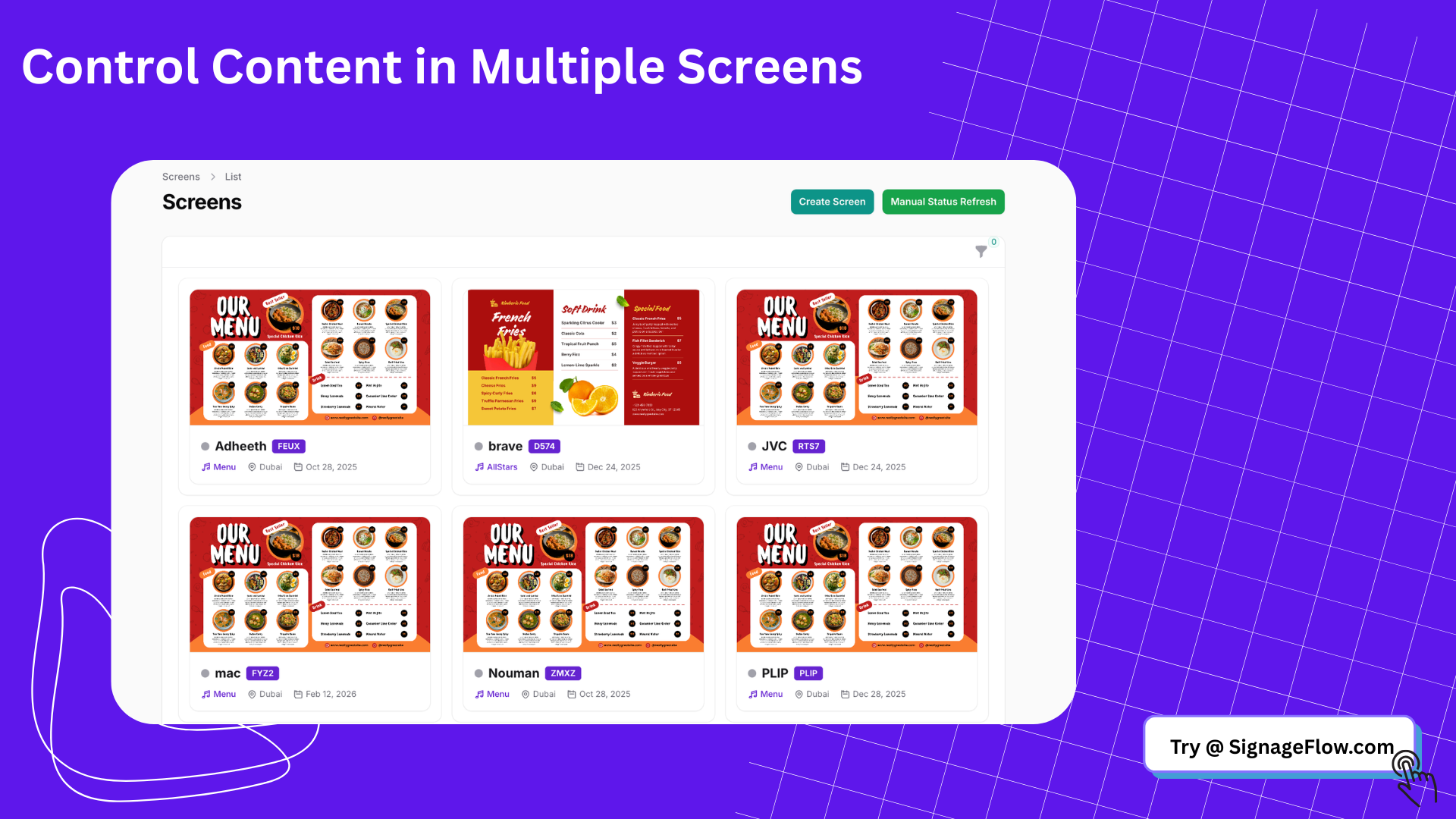
Screen Grouping into Zones – Push playlists to multiple screens in one go
Organize by Branch – Manage screens by location for better control
Player Improvements – Fixed playback glitches and improved overall stability
👉 Managing multiple outlets is now faster, smoother, and more reliable.
July 2025 – SignageFlow Officially Launched 🎉
It all started here!
What’s included at launch:
Branch Creation – Register outlets and manage content per location
Playlist Builder – Upload videos and images, drag & drop into playlists
Multi-Screen Support – Assign playlists to multiple screens
Real-Time Updates – Push content instantly without manual refresh
👉 Our mission began: making digital signage simple, affordable, and powerful for businesses of all sizes.